 ClassCoffer
Keep accounts separate
Manage class funds, trips and projects as separate accounts. See each balance and the total including archived accounts.
Keep balances, income and expenses in view with ClassCoffer. Allocate payments and create clear statements on iPhone, iPad and Mac.
Total balance, income, expenses and recent transactions right on the home screen.
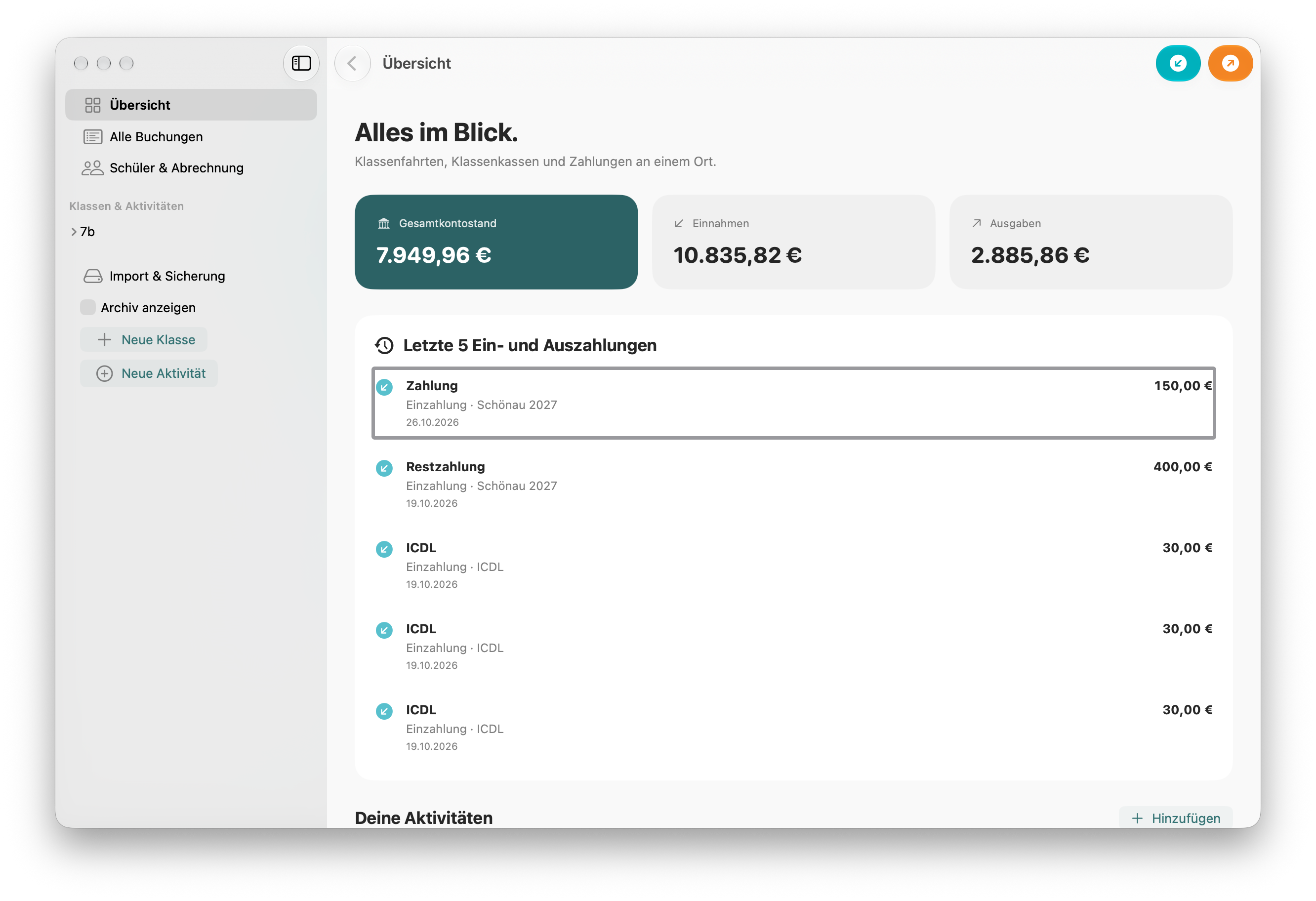
From individual contributions to the total balance: ClassCoffer combines everyday bookkeeping with a clear overview.
Manage class funds, trips and projects as separate accounts. See each balance and the total including archived accounts.
Record income and expenses for individuals, a selection or the whole group. Split a combined payment across accounts to the cent.
Payments received, allocated expenses and personal credit appear separately. Target contributions reveal what is still outstanding.
Create PDF and CSV statements for accounts and students. Export all personal statements for one activity together as a ZIP.
Import students from Excel, CSV or pasted data. Create class accounts and set a target contribution if needed.
Enter amount, date and subject. Allocate the transaction to students or keep it as a general account amount.
Filter transactions by name, keyword or note. Create statements and back up all records as JSON.
ClassCoffer processes account data locally on your device. The app needs no user account and does not sync automatically through the cloud.
More about privacy ↗iPhone and iPad with iOS/iPadOS 17 or later and Mac with macOS 14 or later. The interface adapts to screen size and light or dark appearance.
Yes. Each class can have multiple accounts or activities. The total overview includes archived accounts.
No. ClassCoffer records transactions but does not send payments or retrieve bank transactions.
Use “Language” in the sidebar. Choose the system language or German, English, French, Spanish, Italian or Dutch. Your choice is saved.